A DataFlow status check takes about a minute: go to dataflowstatus.com and enter your DataFlow case number and your passport number. The page shows the status of each document and lets you download your report once it's ready. That's the whole check. The harder part is knowing what you're looking at, so the rest of this guide covers that.
How to do a DataFlow status check, step by step
- Find your case number. DataFlow sends it to the email you registered with when your application is submitted. Search your inbox for "DataFlow".
- Keep your passport number handy. DataFlow's FAQ says you need both to check your status.
- Open dataflowstatus.com and enter the two numbers.
- Read the case-level status first, then scroll to the component section. A component is one check: your degree, one employer, or your licence. A case can have several.
- Check your regulator's portal too, such as Sheryan or Mumaris Plus. It may show the result in different words, and sometimes later than DataFlow does.
If the two ever disagree, trust dataflowstatus.com for the detail. The regulator's portal tells you what the regulator has received, not what DataFlow is doing today.
What each DataFlow status means and what to do
DataFlow's own guide tells you where to look but doesn't explain the wording. Here's the plain version.
| What you see | What it means | What to do |
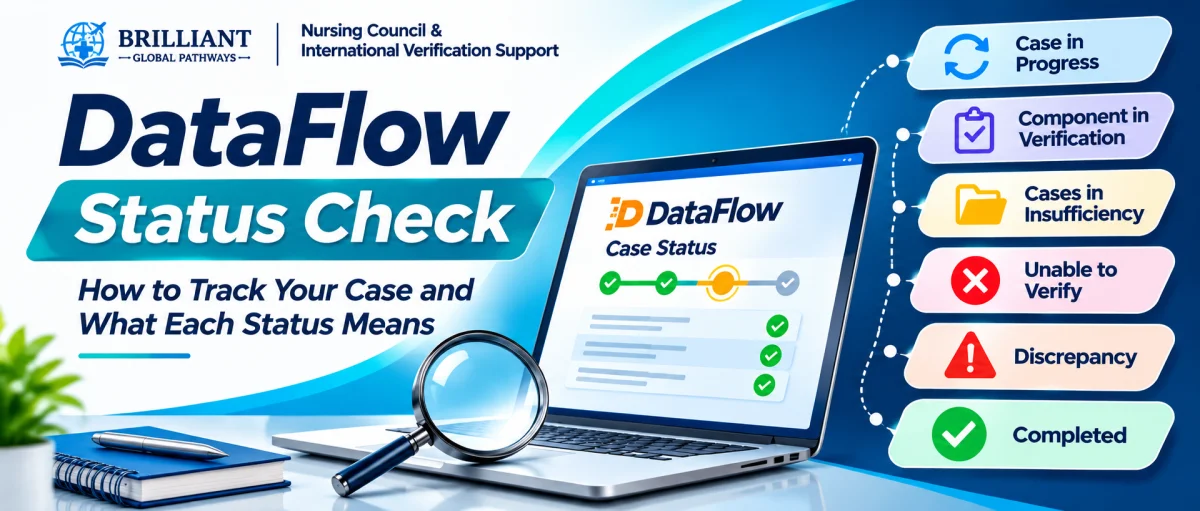
| Case in progress | DataFlow is working on it. Look at each component to see where | Nothing yet. Check the component section |
| Component in verification | DataFlow has started contacting that institution | Tell the institution to expect the request |
| Cases in insufficiency | A document or detail is missing from your application | Use the "provide missing information" link in the portal |
| Unable to Verify | DataFlow couldn't get a confirmation | Read our negative report guide |
| Discrepancy | Something didn't match, or the issuer didn't confirm it | Read our negative report guide |
| Completed | The case is finished and the report is ready | Download it if your regulator allows, and check the regulator's portal |
The exact wording on screen can change, so read the on-screen description rather than relying on this table alone. For a deeper look at each status, see our DataFlow status check section.
How long does a DataFlow check take?
DataFlow's FAQ gives a standard time of 15 to 25 working days. That clock starts from payment and a complete set of documents, so an incomplete submission starts the wait late. Delays usually come from incomplete submissions or late replies from the institutions DataFlow has to contact. Express and Express Assist close an application in 14 working days, but only some regulators offer them.
For nurses, the slow part is almost always one institution: a hospital HR that doesn't reply, or a university that takes weeks to confirm a degree.
If your DataFlow case looks stuck
Here is the order we suggest, built on DataFlow's published timeline.
- Inside 25 working days: look, don't chase. Open the component section and find which check is still in verification and since when.
- Contact that institution. Call and email, ask who received DataFlow's request, and give them a named person to reply to. This fixes more cases than any ticket will.
- After 25 working days with no movement, or if a component shows missing information, raise a request on DataFlow's support page at support.dataflowgroup.com. Quote your case number. DataFlow also lists a WhatsApp line, +971 50 349 4337.
- Keep notes. Dates, names and replies. You'll want them if the case turns negative.
Not sure what your status means or who to chase? Send a screenshot of your status page to us on WhatsApp 9544742428. If a hospital or university is the hold-up, our hospital verification and college verification services follow up with them for you.
Lost your DataFlow case number?
Search your registered email for the message sent when you applied. If you can't find it, DataFlow's FAQ says you can search with your client reference number, which is the number issued under the regulator you applied to. Still stuck? Raise a support request and quote your passport number and regulator.
How to download your DataFlow report
Once the case is complete, the report can be requested from the same status page, but only if your licensing authority allows downloads. Some regulators ask you to submit the PSV report yourself, and for others the report goes to them directly or appears in their portal. DataFlow also emails you when your application is complete. If there's no download button, ask your regulator whether they receive it directly.
Avoid fake status and "fast-track" sites
Only enter your case and passport numbers on dataflowstatus.com. For help, use the support page at support.dataflowgroup.com. DataFlow warns applicants to apply only through authorised channels, and says going through unofficial ones can cost you money and time and even lead to blacklisting across GCC countries.
If you have a negative or stuck case, we can help. You can read how the process works in our DataFlow verification guide, or check your regulator's page: Saudi (SCFHS), DHA Dubai, Kuwait (MOH), Qatar (DHP), Oman (OMSB) and DOH Abu Dhabi.
Before you apply, make sure your own papers are in order. Our guide to the good standing certificate for nurses covers the licence side.
Need a hand with your DataFlow case? Brilliant Global Pathways helps nurses prepare documents and follow up with hospitals and universities. Call or WhatsApp 9544742428, or book a free consultation.
FAQs
How do I check my DataFlow status? Go to dataflowstatus.com and enter your DataFlow case number and your passport number. The page shows the status of each document.
What is the difference between DataFlow status and DataFlow report? The status shows progress while the case is open. The report is the final document produced when the case is complete.
How long does DataFlow take? The standard time is 15 to 25 working days from payment and complete documents. Express services at some regulators close in 14 working days.
My DataFlow status hasn't changed. What should I do? Check which component is in verification, contact that institution, and raise a support request if nothing moves after 25 working days.
What if I lost my DataFlow case number? Check your registered email, or search with the client reference number issued under your regulator.
Can I download my DataFlow report? Only if your regulator allows it. Some regulators receive the report directly.
What does it mean if my DataFlow status is Unable to Verify or Discrepancy? DataFlow couldn't confirm a document, or found a mismatch. You can usually appeal or add documents. See our DataFlow negative report guide.

Written by
Siva Naik Desavath
Siva Naik Desavath is a Registered Nurse at Rainbow Children’s Hospitals, Hyderabad, specializing in pediatric and neonatal critical care. He holds a BSc in Nursing from NTR University of Health Sciences and is BCLS certified. He has hands-on experience with nursing council registration, renewal, NUID and Good Standing Certificate documentation. On Nursing Council Services, he writes practical guides to help nurses complete these processes correctly.
View author profileNeed help with your documents?
Our team can guide you through verification, attestation, and council registration — book a free consultation today.
9544742428